
GET
/api/v1/saas/couponsList discount codes with their redemption counts
Platform administrator requiredManage tenants, schools, plans, subscriptions, billing and cross-tenant reporting.
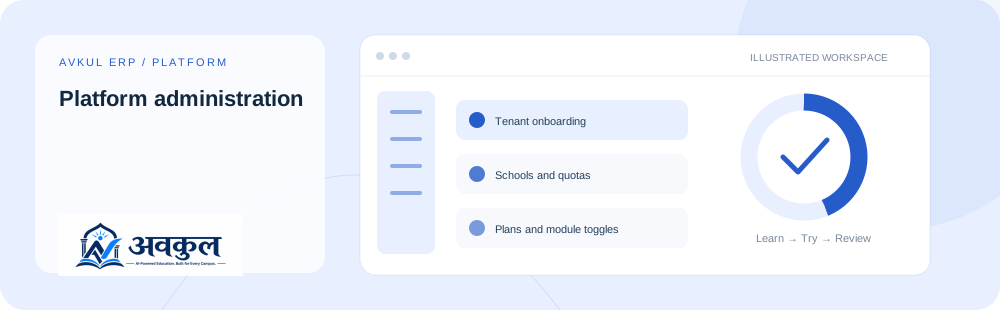
Intended access: Platform administrator.
Use the public sample demo to learn this flow. Your assigned ERP account determines access to actual school records.
A platform administrator account.
Schools and quotas is part of the documented workflow.
Plans and module toggles is part of the documented workflow.
Review the result in the connected record or workspace before moving on.
Source-declared fields used by related operations; each operation has its own validation and scope.
| Field | Declared type | Input |
|---|---|---|
code | string | Required by declaration |
description | string | Optional |
type | string | Optional |
value | number | Required by declaration |
maxRedemptions | number | Optional |
validFrom | string | Optional |
validUntil | string | Optional |
isActive | boolean | Optional |
question | string | Required by declaration |
planCode | string | Optional |
amount | number | Optional |
paymentLogId | string | Required by declaration |
razorpayPaymentId | string | Optional |
razorpaySignature | string | Optional |
name | string | Required by declaration |
billingCycle | string | Optional |
priceMonthly | number | Optional |
priceYearly | number | Optional |
trialDays | number | Optional |
maxStudents | number | Optional |
maxStaff | number | Optional |
maxSchools | number | Optional |
maxBranches | number | Optional |
isPublic | boolean | Optional |
Source inventory checked on 11 October 2026. Guide availability confirms documentation publication, not certification of every external service or device flow.
Open a guided sample workspace, try the available actions, then reset whenever you like. No login required.
This is the module’s source-declared endpoint catalogue. Reading this reference does not execute any request.
/api/v1/saas/couponsList discount codes with their redemption counts
Platform administrator required/api/v1/saas/couponsIssue a discount code
Platform administrator requiredDeclared request fields: code (required), description (optional), type (required), value (required), maxRedemptions (optional), validFrom (optional), validUntil (optional), isActive (optional).
/api/v1/saas/coupons/:idChange a code’s window, cap or active flag
Platform administrator requiredDeclared request fields: code (optional).
/api/v1/saas/coupons/preview/:codeWhat a code would do to an invoice, without spending it
Platform administrator required/api/v1/saas/coupons/invoices/:invoiceId/applyApply a code to an invoice and spend one redemption
Platform administrator requiredDeclared request fields: code (required).
/api/v1/saas/coupons/invoices/:invoiceIdTake the code back off an invoice
Platform administrator required/api/v1/saas/ai-center/askAsk a plain-English question about the platform — answered from real, computed aggregates
Platform administrator requiredDeclared request fields: question (required).
/api/v1/saas/analyticsCross-tenant growth/revenue/churn analytics with an AI-generated narrative summary
Platform administrator required/api/v1/saas/audit-logPlatform activity trail — every superadmin action across every tenant
Platform administrator required/api/v1/saas/subscriptionsList subscriptions across all tenants
Platform administrator required/api/v1/saas/subscriptions/:id/planUpgrade/downgrade a tenant subscription
Platform administrator requiredDeclared request fields: planCode (required).
/api/v1/saas/invoicesList SaaS invoices
Platform administrator required/api/v1/saas/invoices/:idInvoice
Platform administrator required/api/v1/saas/invoices/:id/payment-orderCreate a Razorpay order to collect payment against an invoice
Platform administrator requiredDeclared request fields: amount (optional).
/api/v1/saas/payments/verifyVerify a Razorpay payment callback and mark the invoice paid
Platform administrator requiredDeclared request fields: paymentLogId (required), razorpayPaymentId (optional), razorpaySignature (optional).
/api/v1/saas/payments/test-connectionCheck whether configured Razorpay credentials actually authenticate
Platform administrator required/api/v1/saas/overviewPlatform KPIs (tenants, footprint, MRR/ARR, billing)
Platform administrator required/api/v1/saas/modulesList all toggleable platform modules
Platform administrator required/api/v1/saas/plansList subscription plans with their modules
Platform administrator required/api/v1/saas/plans/:idGet One
Platform administrator required/api/v1/saas/plansCreate a plan (with module toggles)
Platform administrator requiredDeclared request fields: name (required), code (required), description (optional), billingCycle (optional), priceMonthly (optional), priceYearly (optional), trialDays (optional), maxStudents (optional), maxStaff (optional), maxSchools (optional), maxBranches (optional), isPublic (optional), isActive (optional), moduleKeys (optional).
/api/v1/saas/plans/:idUpdate
Platform administrator required/api/v1/saas/plans/:idSoft-delete (archive) a plan
Platform administrator required/api/v1/saas/reports/:typeCross-tenant report (revenue/usage/churn/activity) as JSON, CSV, or PDF
Platform administrator required/api/v1/saas/tenantsList tenants (search, status filter, paginated)
Platform administrator required/api/v1/saas/tenants/:idTenant detail with schools, subscription and counts
Platform administrator required/api/v1/saas/tenantsOnboard a new tenant/school (provisions admin + plan)
Platform administrator requiredDeclared request fields: tenantName (required), slug (required), schoolName (required), schoolCode (required), board (optional), type (optional), adminEmail (required), adminPassword (required), adminFirstName (required), adminLastName (optional), planCode (optional).
/api/v1/saas/tenants/:id/schoolsAdd a school to an existing tenant (counts against the plan)
Platform administrator requiredDeclared request fields: code (required), name (required), type (optional), board (optional), adminEmail (optional), adminPassword (optional), adminFirstName (optional), adminLastName (optional).
/api/v1/saas/tenants/ai-provisionAI Command Center — provision a full tenant from just school/owner facts and email the owner their access
Platform administrator requiredDeclared request fields: schoolName (required), institutionType (required), ownerName (required), ownerEmail (required), ownerPhone (optional), domain (optional).
/api/v1/saas/tenants/:id/statusActivate / suspend / cancel a tenant
Platform administrator requiredDeclared request fields: status (required).
/api/v1/saas/tenants/bulk-actionApply activate/suspend/cancel to multiple tenants at once
Platform administrator requiredDeclared request fields: ids (required), action (required).
/api/v1/saas/tenants/health/scoresComposite health score per tenant (status, overdue invoices, login recency, trial runway)
Platform administrator required/api/v1/saas/tenants/:id/brandingUpdate white-label branding (brand name, color, custom domain)
Platform administrator requiredDeclared request fields: brandName (optional), primaryColor (optional), faviconUrl (optional).
/api/v1/saas/tenants/:id/logoUpload the tenant logo
Platform administrator required/api/v1/saas/tenants/:id/faviconUpload the tenant favicon
Platform administrator required/api/v1/saas/tenants/:id/domainClaim a custom domain — returns a DNS TXT record to publish for ownership proof
Platform administrator requiredDeclared request fields: domain (required).
/api/v1/saas/tenants/:id/domainRemove the custom domain and reset verification
Platform administrator required/api/v1/saas/tenants/:id/domain/verifyVerify domain ownership via a real DNS TXT lookup
Platform administrator required/api/v1/saas/usageEvery tenant against its plan limits
Platform administrator required/api/v1/saas/usage/:tenantIdStatus
Platform administrator required/api/v1/saas/usage/:tenantId/countersCounters
Platform administrator required/api/v1/saas/usage/:tenantId/refreshRecount usage and write this period's counters
Platform administrator required/api/v1/my-plan/usageThis tenant's usage against its own plan
Authenticated scope and endpoint-specific rulesERP links use your assigned account. Record-specific pages start from the list so you can choose a real record.